Dual Enrollment Enrollment Process
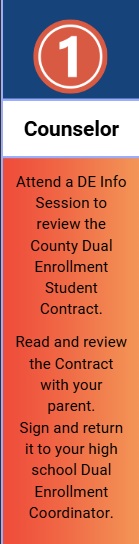
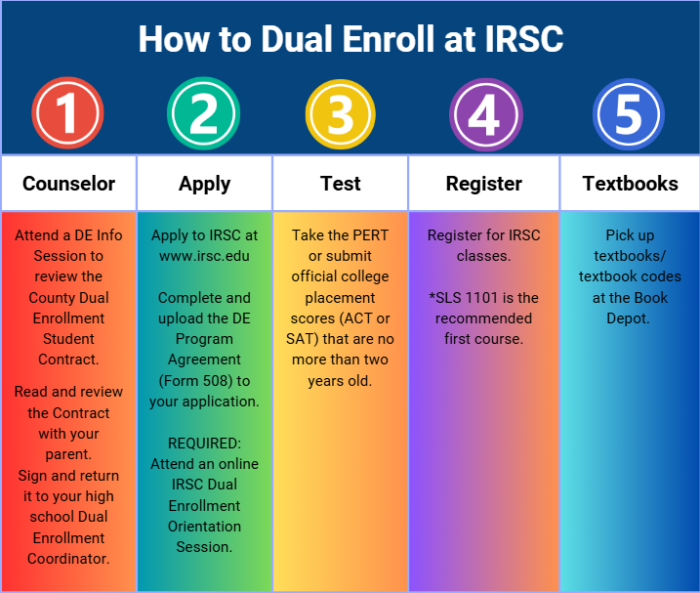
Step 1: Attend a Dual Enrollment Information Session
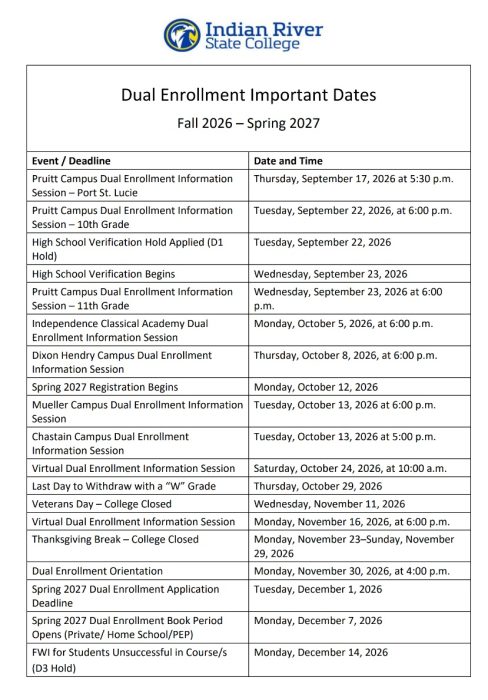
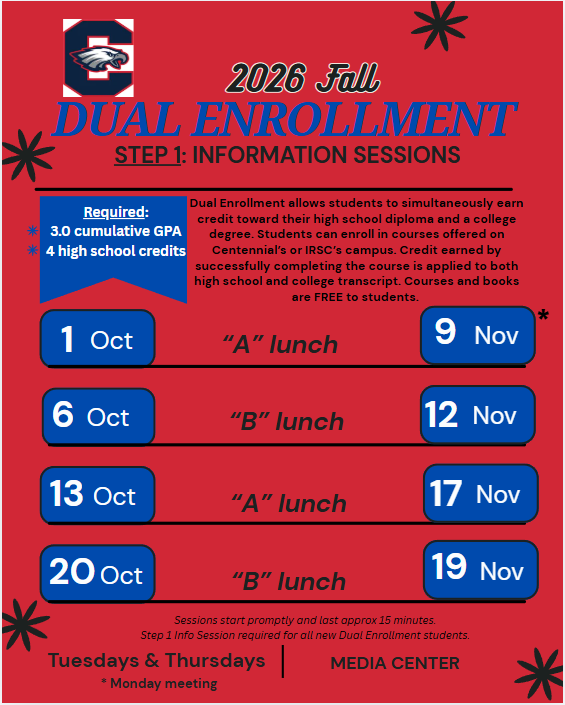
Students who meet the initial eligibility criteria (GPA/credits) should attend a DE Info Session with Ms. McAdoo to review the county Dual Enrollment Student Contract. DE Info Sessions are held in the Fall and Spring during lunches in the media center. Students can just show up during their lunch – no appointment is needed! See the Fall DE Info Session dates below.
Dual Enrollment Student Contract
Step 2: Complete the IRSC Admission Application
Upon receipt of the signed Dual Enrollment Student Contract, students will be provided via email instructions to complete the next steps:
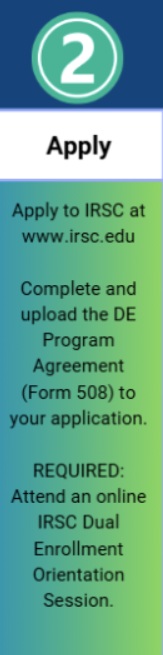
Complete IRSC Admission Application – Apply for Classes at Indian River State College
| Use your personal email address (not your IRSC or High School email) to create your credentials. An email address can only be used by one person. Do not use a shared email address when creating your account. You must have access to this email address to verify your application account creation. |
Upload the Dual Enrollment Program Agreement to complete your application. This form is typeable and DOES NOT require any signatures. Type Parent and Student names into the form and upload it to your application.
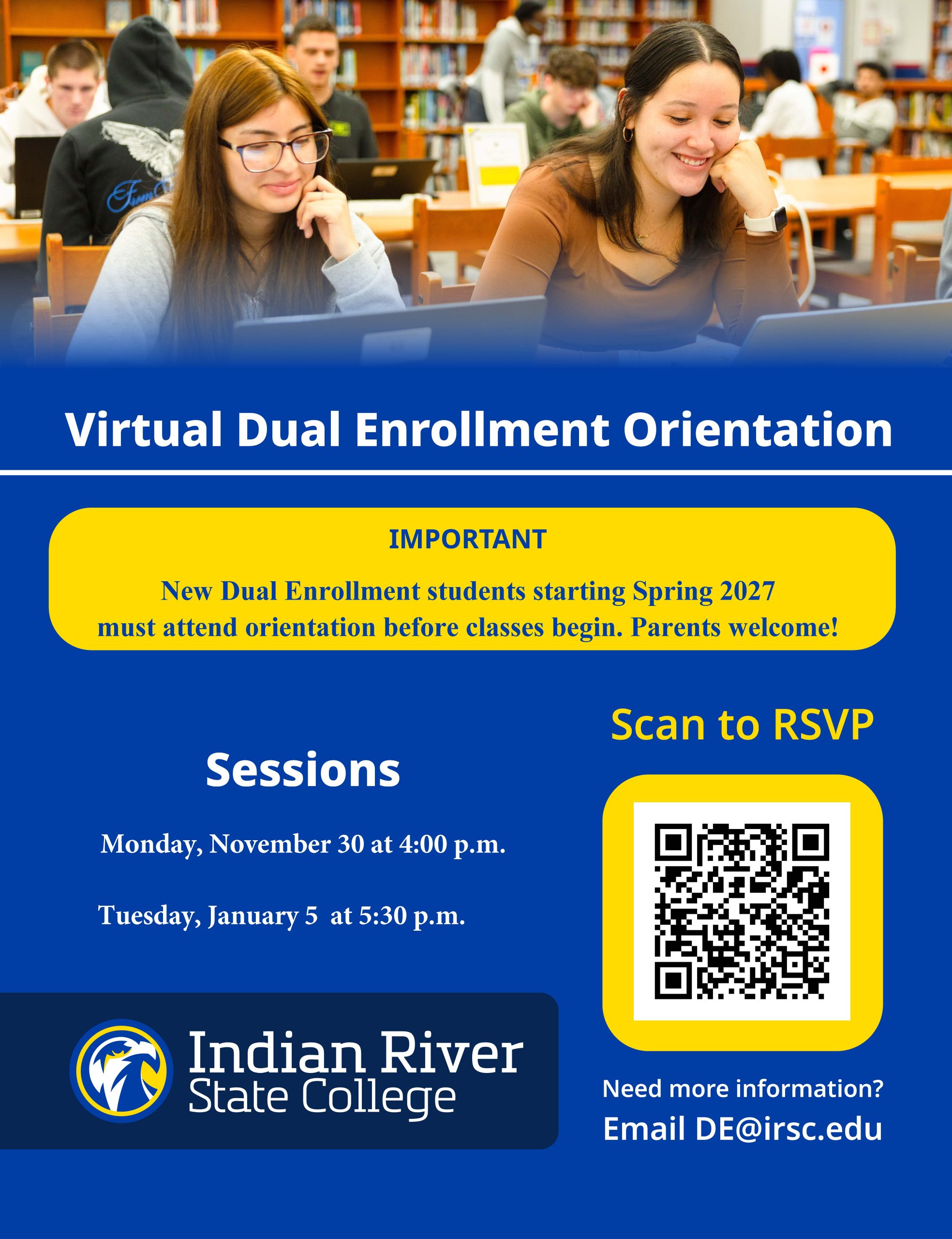
New Dual Enrollment Students are required to participate in an IRSC Dual Enrollment Live Session.
Step 3: Take the PERT Assessment
Schedule a time to take the PERT assessment at IRSC
P.E.R.T. Test – Indian River State College
Students must meet or exceed the following placement test scores:
| Reading | English/Writing | Math | |
| PERT | 106 | 103 | 114 |
| ACT | 19 | 17 | 19 |
| Digital SAT | 490 | 480 | |
| SAT | 24 | 25 | 24 |
| PSAT/NMSQT | 24 | 25 | 24 |
| Digital PSAT | 490 | 480 | |
| CLT | 38 | 16 | |
The P.E.R.T. is used to determine initial course placement and provides information about your reading comprehension, writing, and mathematics skill levels. It is a computer-adaptive test that is untimed and typically takes about three hours to complete.
Step 4: Activate RiverMail & River Portal
Step 5: Obtain Textbooks & Stay Connected
Dual Enrollment course textbooks/materials are free to dual enrollment students and are picked up at the Book Depot located in St. Lucie West:
Dual Enrollment Book Depot
331 NW Commerce Park Drive
8:30AM-4:00PM (closed between 12:30PM-1:30PM)
Inside the School Bus Compound – Use the third gate on your right to enter. If you arrive after 3:00 PM, please use the first gate and loop around to the front. The Book Depot is the first building near the gates.